Photo Tips for Personalized Gifts: How to Pick the Right Picture
·by Custom Gift Aura ·5 min read
How to choose a photo that prints well on a necklace or keepsake: the original file, soft light, clear faces, smart cropping and pet photo tricks.
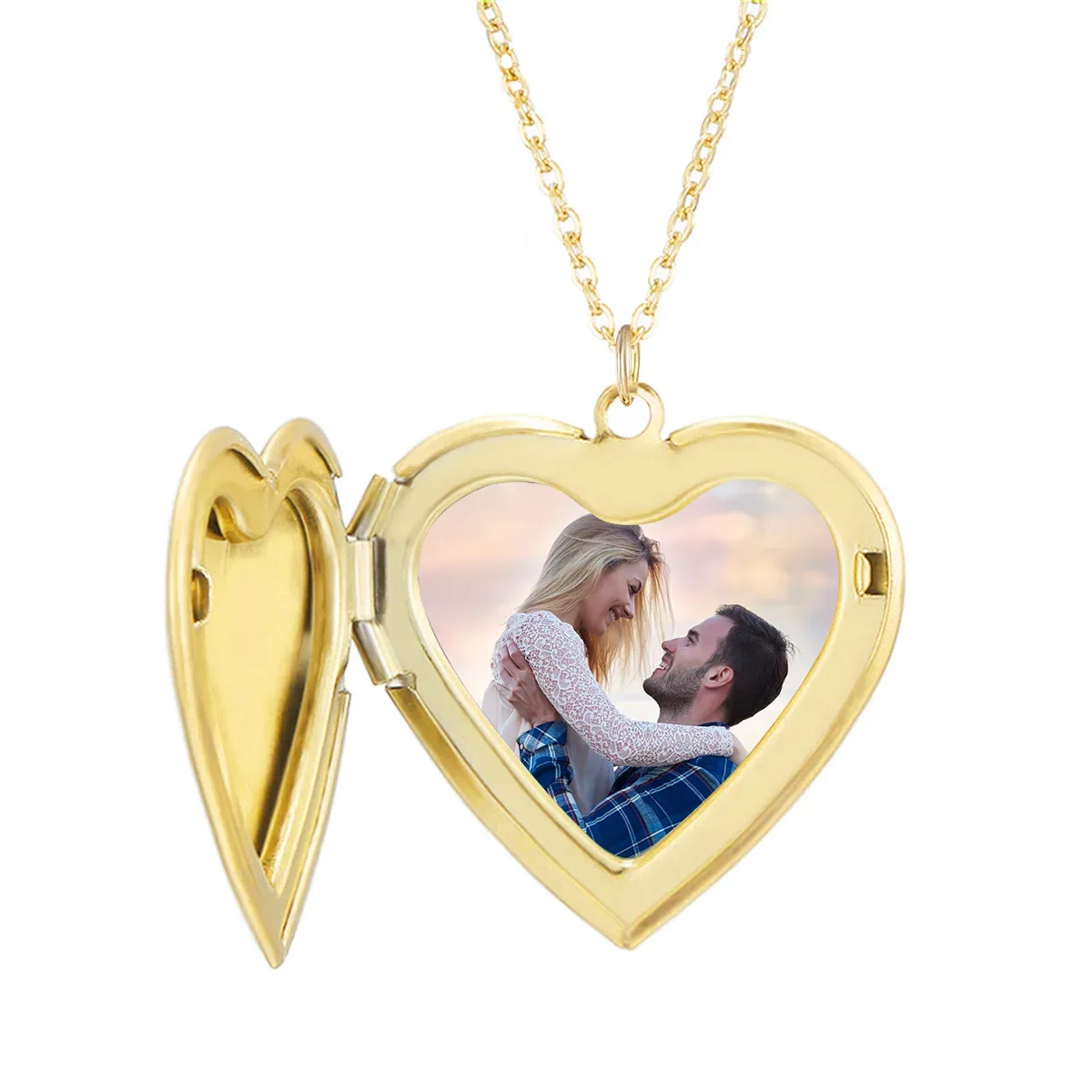
A photo gift is only as good as the photo you send. The right picture makes a necklace or keepsake look sharp and full of life. The wrong one can look blurry, dark or oddly cropped. These photo tips for personalized gifts will help you pick a picture that prints well, from larger pieces down to tiny pendants.
Each gift is made to order with the photo you upload, so a few minutes spent choosing well really pays off. Here is what to look for.
Start with the Original Photo
The most helpful thing you can do is upload the original file. Photos that have been sent through a messaging app, posted to social media or saved as a screenshot often lose detail along the way. They may look fine on a small phone screen, then look soft once printed.
If the photo is on your own phone, upload it straight from your camera roll. If a friend or family member took it, ask them to send you the original file by email or through a shared album, rather than through a chat app.
A Quick Sharpness Test
Open the photo on your phone and zoom in on the face. If the eyes and hair still look crisp, you are in good shape. If the face turns fuzzy or blocky, the photo is probably too small or too compressed to print well. Try to find a better copy.
Good Light Makes a Big Difference
Lighting matters more than the camera. Soft daylight gives the most natural skin tones and the clearest detail. A photo taken near a window, outside on a cloudy day or in open shade usually prints beautifully.
Watch out for these common lighting problems:
- Too dark. Photos taken indoors at night often look grainy when printed, even if they look fine on screen.
- Harsh sun. Bright midday sun can cause squinting, deep shadows under the eyes and washed-out skin.
- Strong flash. Flash can flatten faces and give people or pets red or glowing eyes.
- Backlight. If the sun or a lamp is behind the person, their face may end up in shadow.
Faces Come First
For most photo gifts, the face is the whole point. Choose a picture where the face is clear, in focus and turned toward the camera. A natural smile or a happy expression always works well. Try to avoid sunglasses, hats that shade the eyes and hands in front of the face.
Group photos need a little extra thought. On a larger item, a family of six can look great. On a small item, each face can end up tiny. If you want everyone on a small gift, choose a photo where the group stands close together and fills most of the frame.
Cropping: Leave a Little Room
Most photo gifts are cropped to fit a shape, such as a circle, a heart or a rectangle. That means the edges of your photo may be trimmed. Pick a picture with a little space around the main subject, so nothing important gets cut off, like the top of a head or a hand holding a baby.
Think about the shape before you choose. A tall photo of one person suits a heart or an oval. A wide photo of a couple or a beach scene suits a rectangle better. If you are not sure, a simple head and shoulders shot works with almost any shape.
What Prints Well on a Necklace or Small Keepsake
A photo necklace or locket shows your picture at a small size. Small prints reward simple photos. The less going on in the picture, the better it reads.
- One or two faces. A single person, a couple or one pet works best.
- Close up. Crop in tight so the face fills most of the frame.
- Plain background. A busy background, like a crowded party or a patterned wall, competes with the face.
- Good contrast. A face that stands out clearly from the background stays clear when it is shrunk down.
Save the big group shots and wide scenic photos for larger items. You can browse our necklaces and other photo upload gifts to see which shapes suit your picture.
Using Old Family Photos
Old prints can make some of the most moving gifts, especially for grandparents. Scan the print if you can. If not, lay it flat on a table in daylight and take a photo of it from straight above, with no glare. A faded print can still work well, as long as the face is in focus.
Tips for Pet Photos
Pets are some of the most loved faces on photo gifts, and some of the hardest to photograph. They rarely sit still, and dark fur can hide detail. A few simple tricks help a lot.
- Get down to their eye level instead of shooting from above.
- Use daylight. Dark fur needs good light to show texture and eyes.
- Hold a treat or a toy just above the camera to get them looking your way.
- Take lots of shots in a row, then pick the sharpest one.
- For a memorial gift, look back through older photos for one with clear eyes and a familiar expression.
For more ideas, take a look at our pet gifts.
Quick Photo Tips for Personalized Gifts
All of these photo tips for personalized gifts boil down to one short list. Before you upload, run through it:
- Is it the original file, not a screenshot or a photo sent through a chat app?
- Does the face still look sharp when you zoom in?
- Was it taken in good, soft light?
- Is there a little space around the subject for cropping?
- For a small item, is it a simple close up with a plain background?
If you can say yes to most of these, your photo is ready to go. If you have a photo you love but you are not sure it will print well, send us a message through our contact page before you order. We are happy to help you choose.